

Designing an AI companion that understands where you are, where you're going, and what might help you get there.
One Companion experience around different people, contexts and goals.
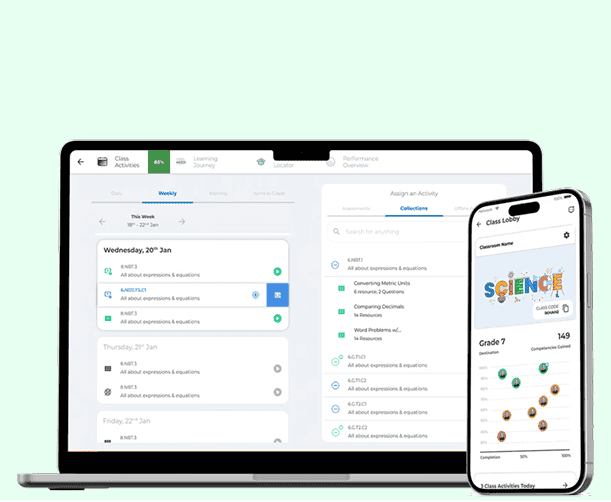
Contents · 12 chapters
The shift
MyGooru already held years of knowledge about its learners: their goals, beliefs, progress, competencies and personalized pathways.
But the way people used AI was changing. ChatGPT and Claude had made conversation a familiar way to work with it. That raised a different question for us:
What if users didn't have to navigate the system to find what they needed? What if the system could understand their context and meet them there?
That became the Companion. It couldn't be one more chatbot.
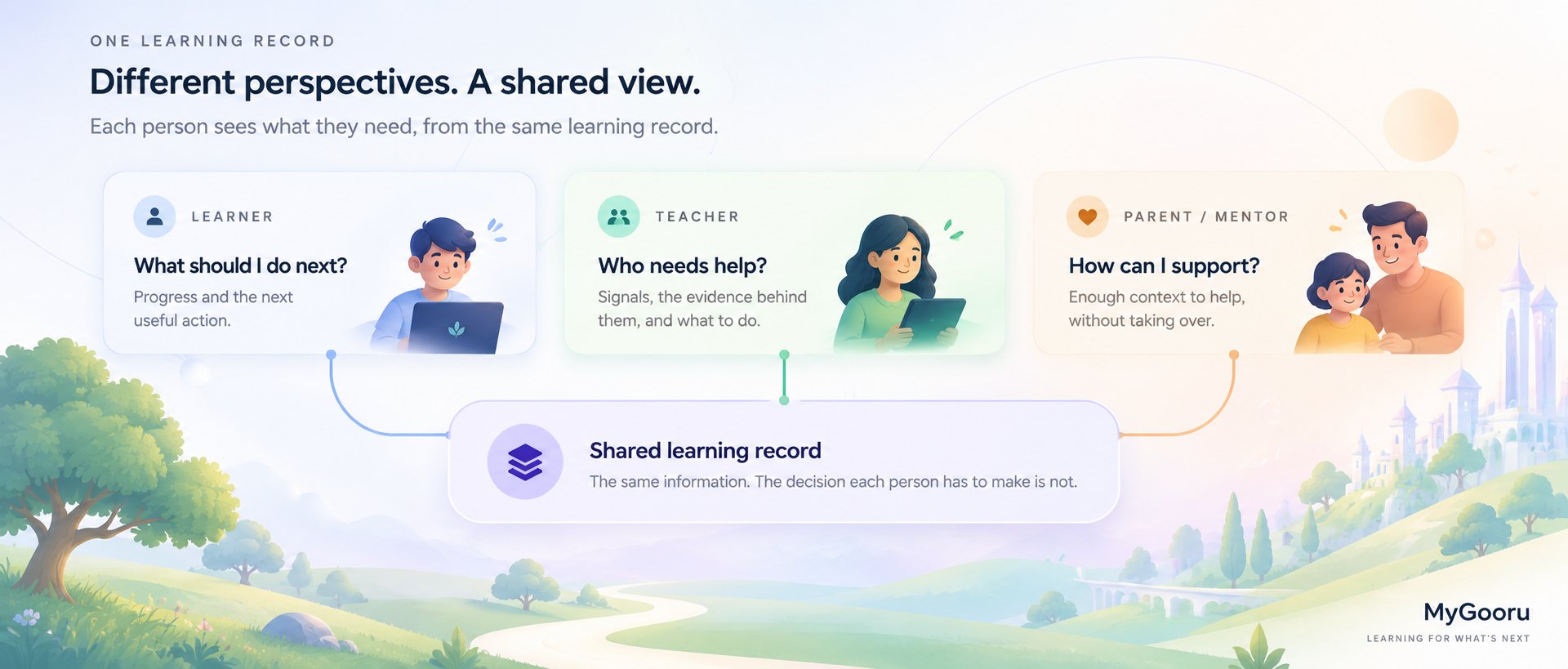
A learner asking “What should I learn next?” needs something very different from an instructor asking “Who in my class needs help?” So the job became designing one Companion for different people, contexts and goals.
- ROLE
- Product Designer
- TIMELINE
- Jan 2026 – Present
- SCOPE
- Learner · Instructor · Mentor · Companion System
Client work under NDA. The screens below are captured from the working prototypes I designed and built; the client organisation and all commercial specifics are withheld. Learner, educator and class names and every figure shown are seeded demo data.
One system. Three perspectives.
Learner: help me move forward. Start learning from almost anywhere. The Companion understands the learner through their context, beliefs, goals, progress and Portrait of a Graduate, and connects them to pathways, nudges and next steps that fit.
Instructor: help me understand my learners. See where learners are and who may need support, get recommendations, and assign activities that could help them move forward.
Mentor: help me guide my mentees. Understand a mentee's progress, learning journey and pathways without piecing their context together from scratch.
Help me move forward
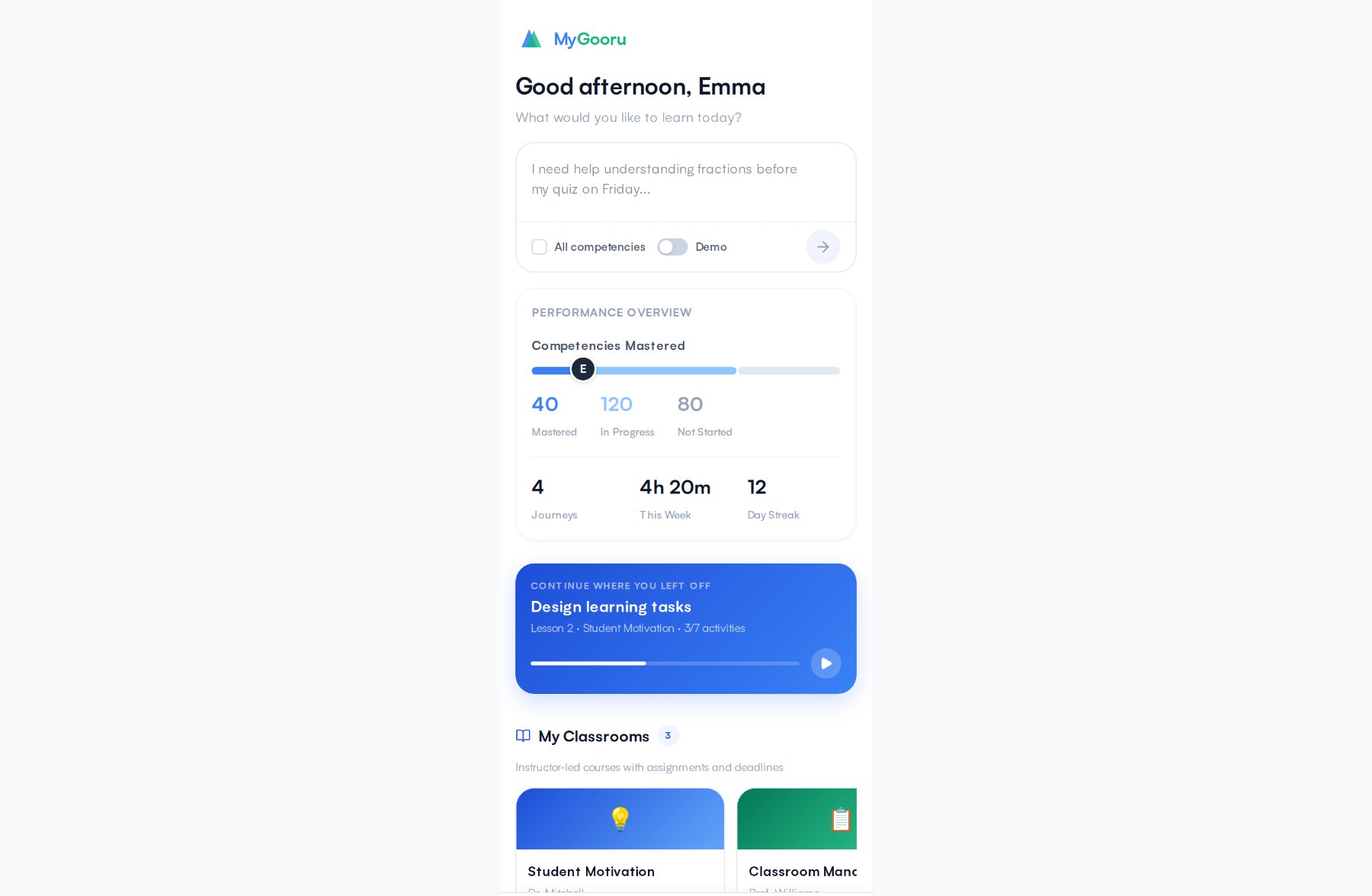
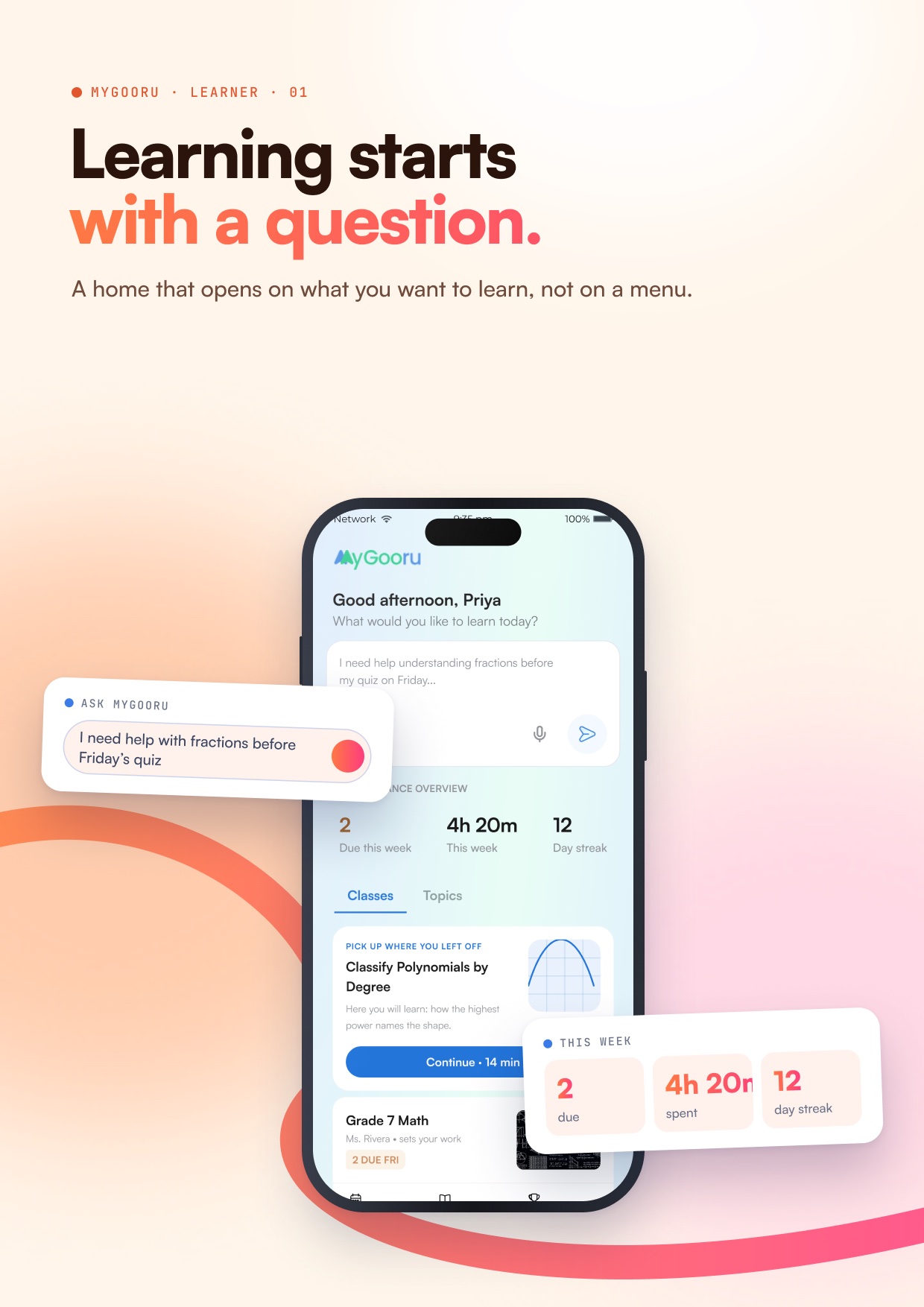
The learner's home opens on a question, not a menu: “What would you like to learn today?” They can type or speak something as ordinary as needing help with fractions before Friday's quiz.
Under it sits only what helps them keep going: what is due this week, time spent, their streak, and a card that picks up where they left off.
For a learner, the Companion looks inward: where am I, and what should I do next?
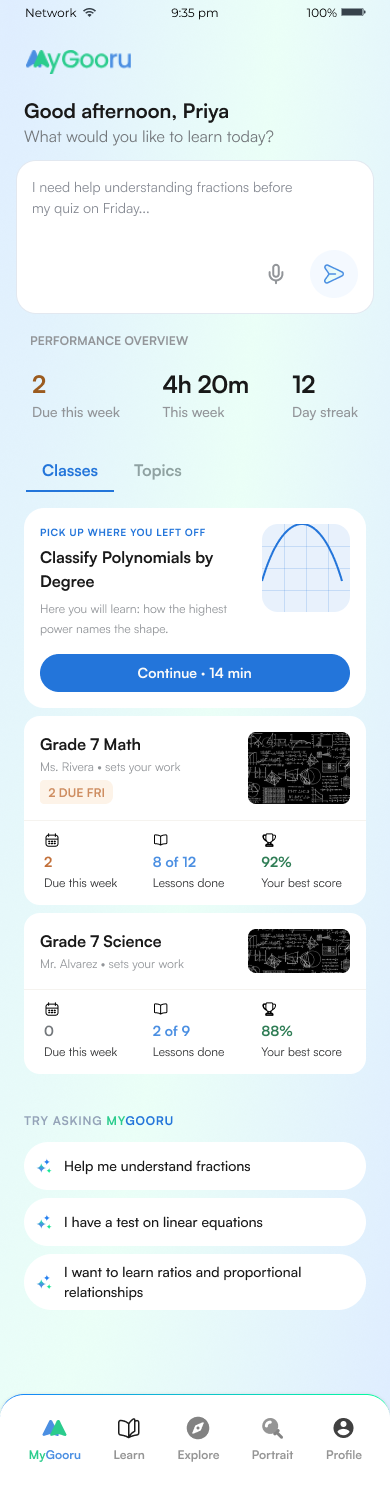
Classify Polynomials by Degree
Here you will learn how the highest power names the shape.
Continue · 14 min →2 due · 4h 20m · 12-day streak
Help me understand my learners
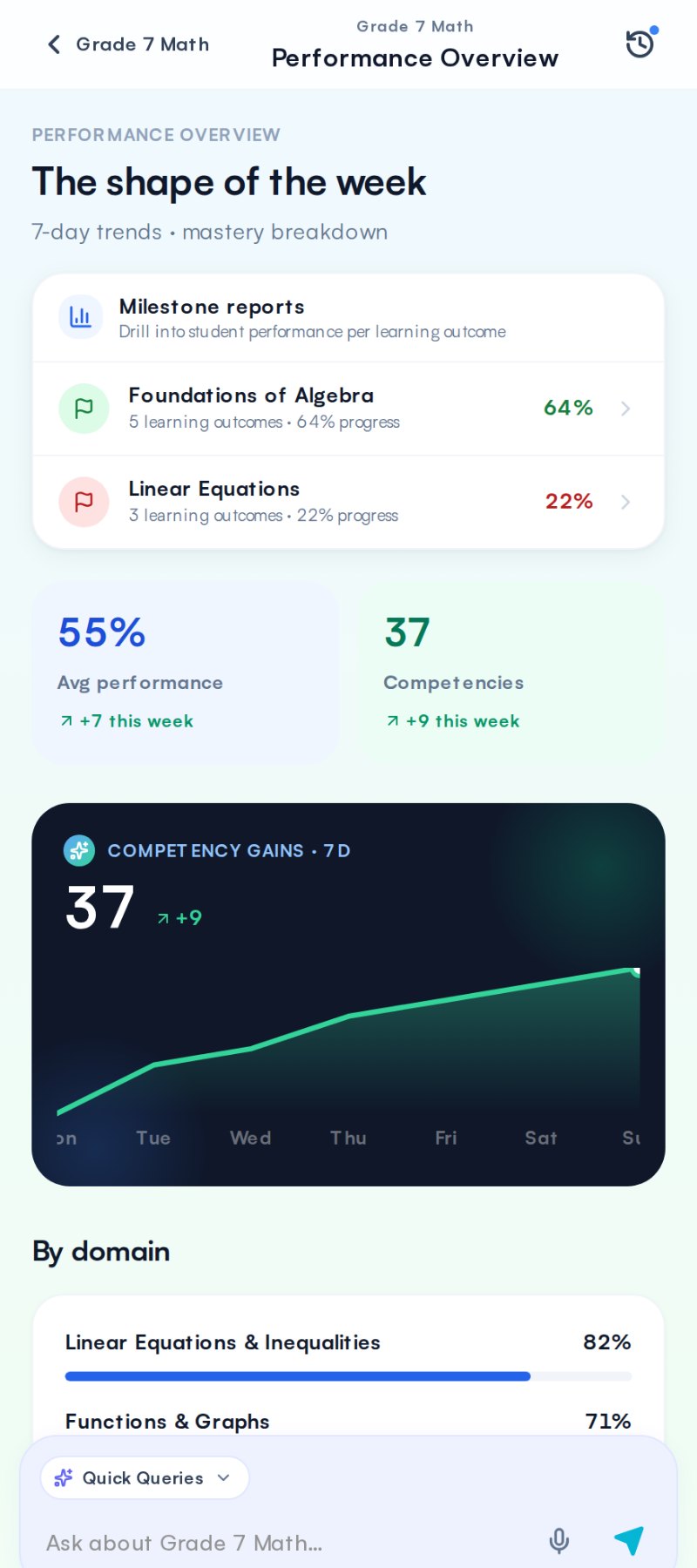
For an instructor, the Companion looks across learners: where is everyone, who needs attention, and what can I do?
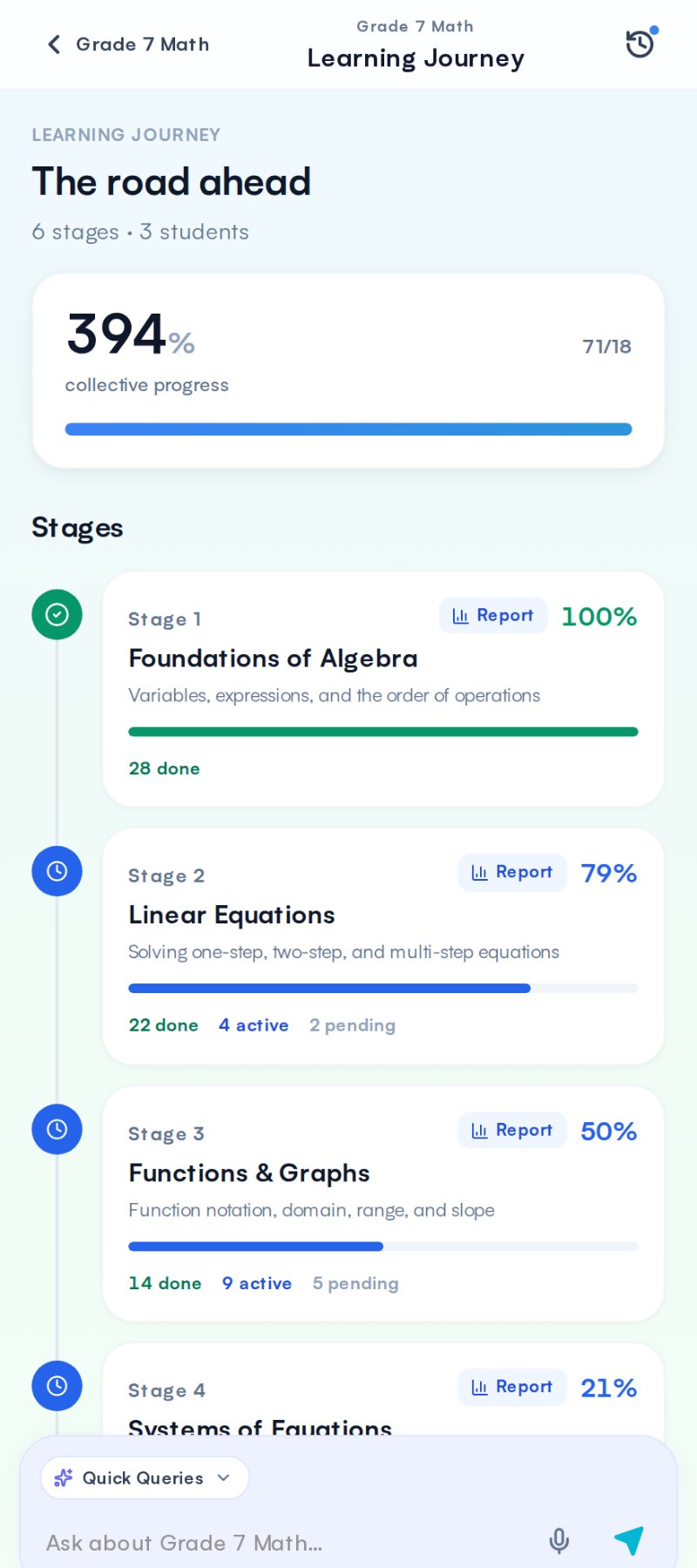
On the Learning Journey it reads the class milestone by milestone, and says why the class is held up, not only that it is.
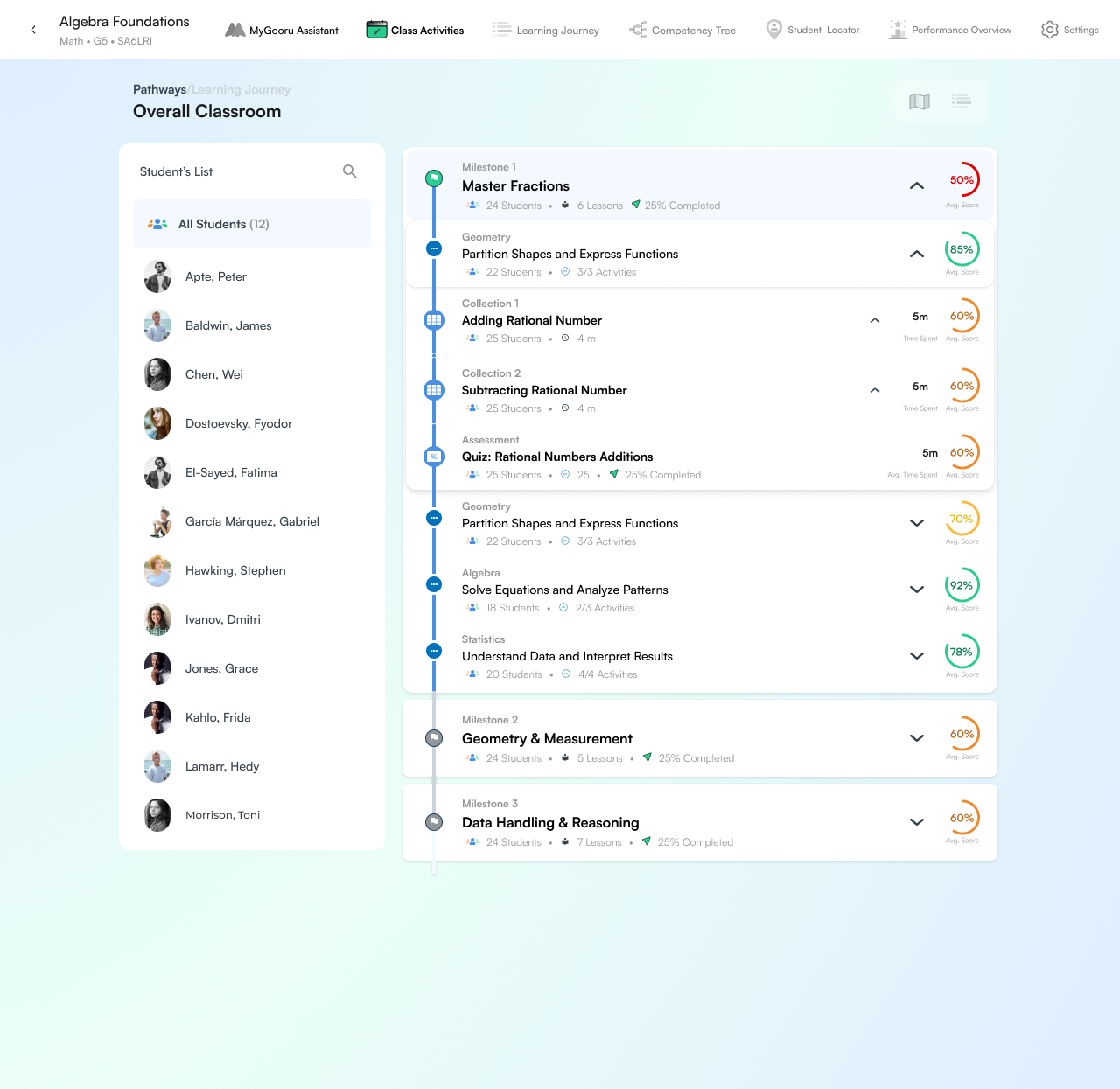
They all stopped at the same lesson, and it is not the hardest one.
22 of 24 cleared the lesson before. 6 cleared this one — and 5 of those worked on paper first.
Assign the paper-first version →In Class Activities it reads what was assigned and points at the one activity that needs the teacher.
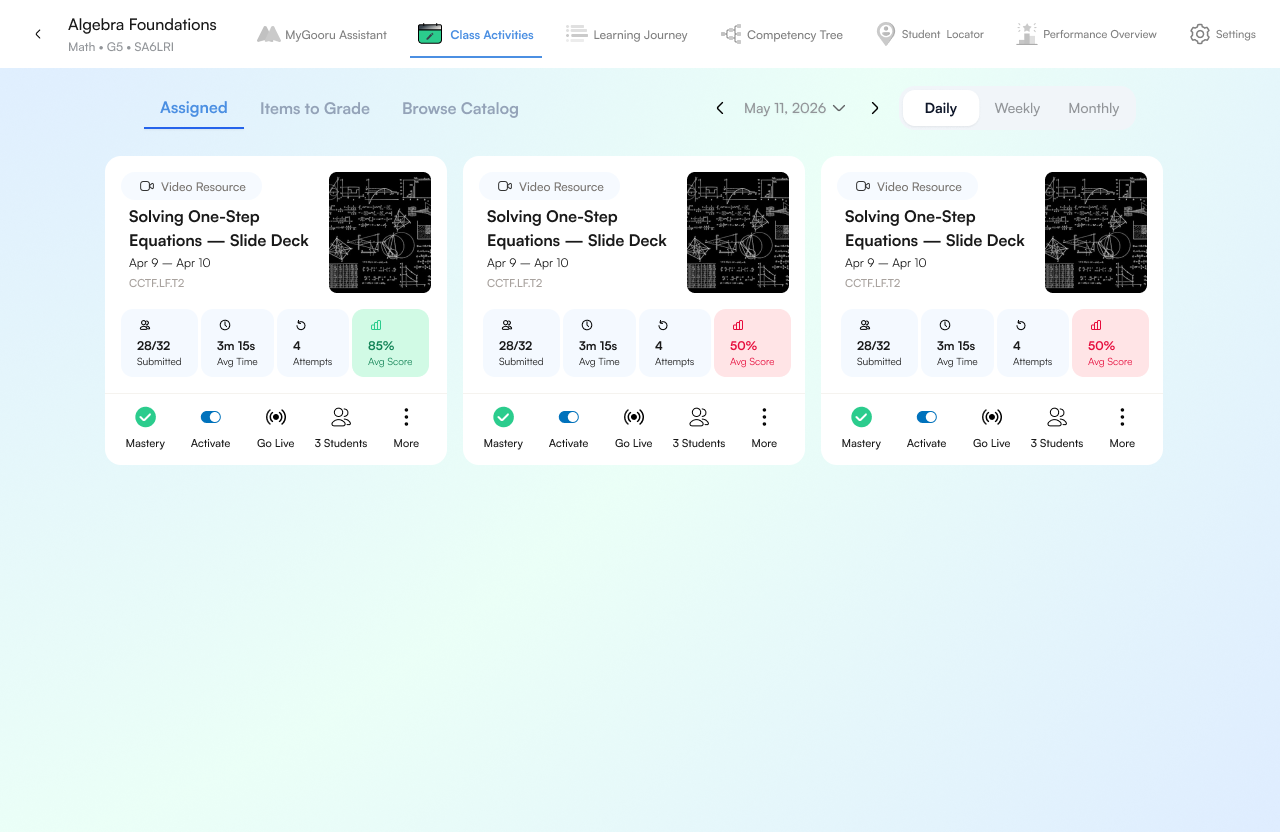
The slide deck is not a marking problem.
Average time was three minutes on a fifteen-minute deck. They clicked through it.
Show me what they skipped →And when work comes in, it puts the grading in order: what it can mark itself, and the written answers only a teacher should.
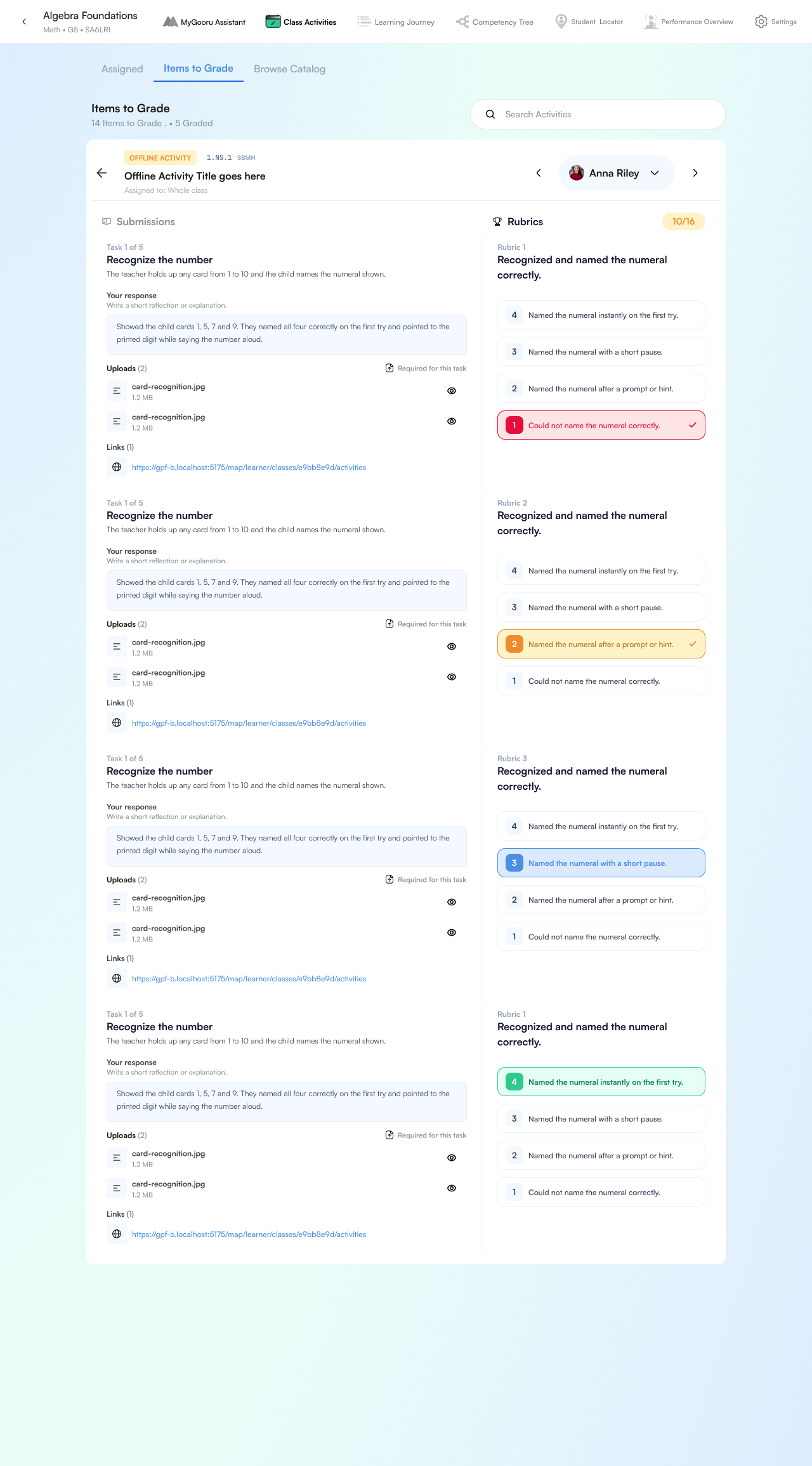
The five written pieces carry all the information.
Fyodor and Gabriel made the same wrong turn — one reply covers both.
Open the five written →Help me guide my mentees
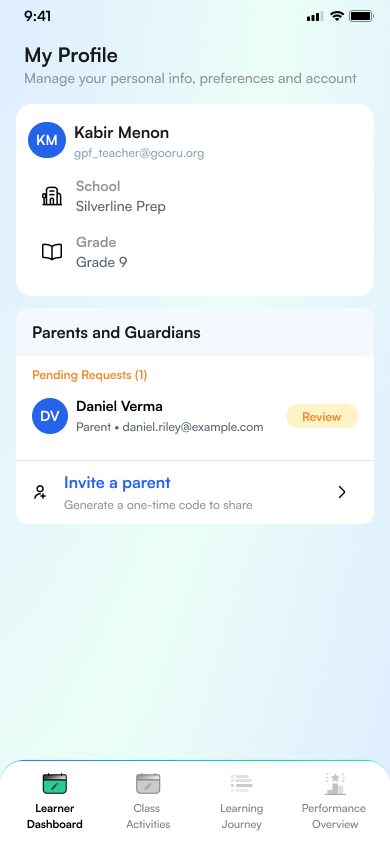
A mentor is linked to a learner, never assigned one. The learner approves the request, sees exactly what the mentor will get (dashboard, learning journey and proficiency, all read-only, plus a weekly summary) and can revoke it from their profile.
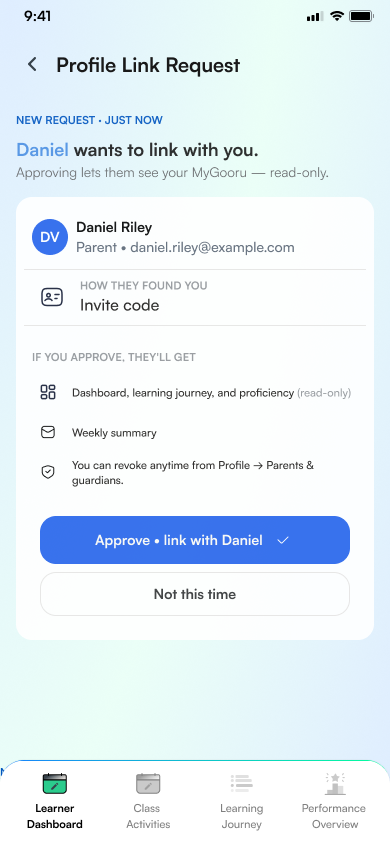
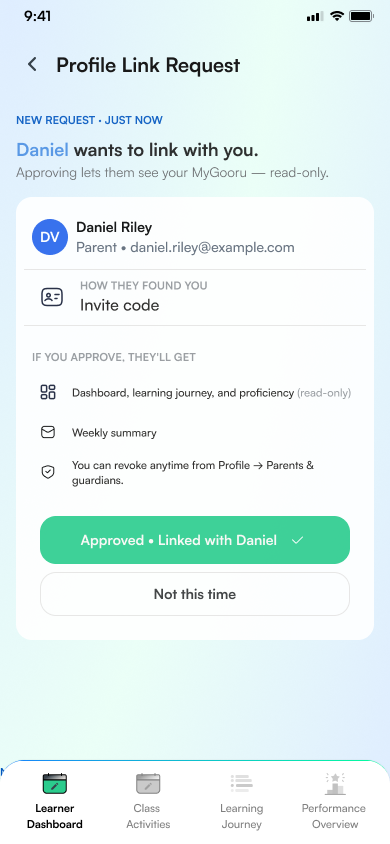
For a mentor, the Companion follows the individual over time: how is my mentee progressing, and where might I support them?
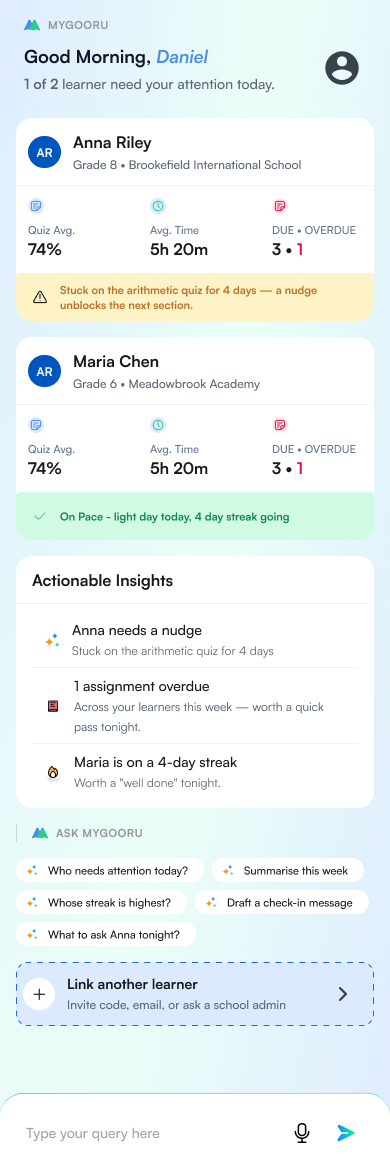
Anna needs a nudge
Stuck on the arithmetic quiz for 4 days — a nudge unblocks the next section.
1 assignment overdue
Across your learners this week — worth a quick pass tonight.
Maria is on a 4-day streak
Worth a “well done” tonight.
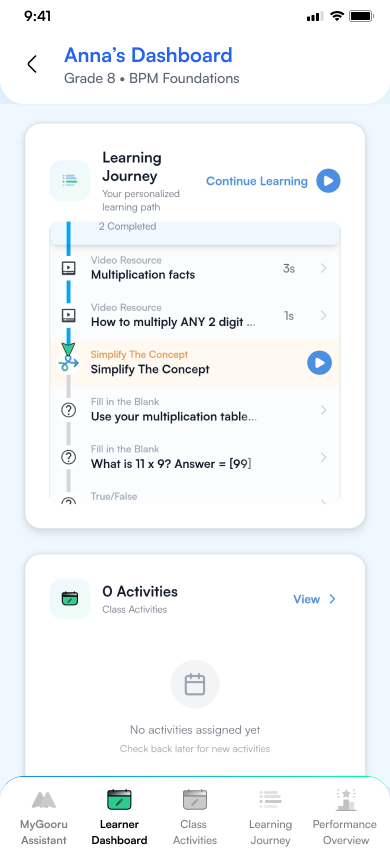
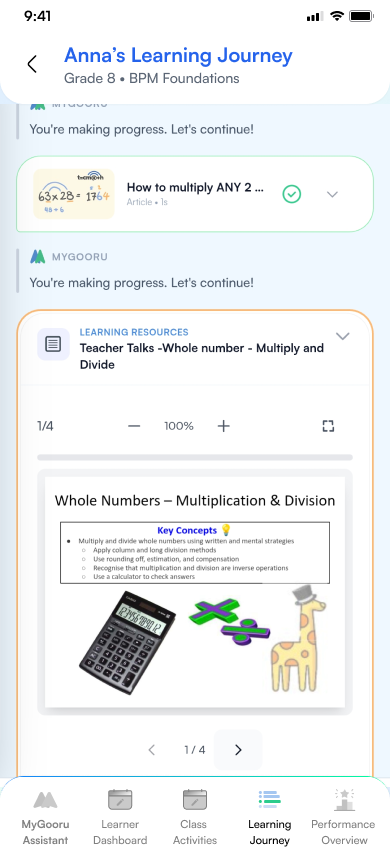
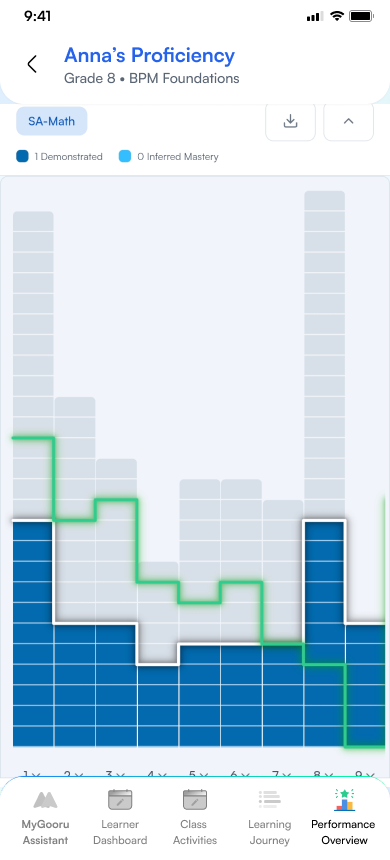
From there the mentor can open the learner's own views: dashboard, learning journey and proficiency. They don't have to rebuild the context themselves.
Designing beyond chat
The Companion can hold a conversation, but most of the product sits behind the conversation.
As someone uses MyGooru, the system builds up a picture of who they are, what they believe, where they are, where they're going and how they might get there.
So a conversation doesn't start from zero. What the system knows carries into what happens next.
What comes next isn't arbitrary
The Companion doesn't simply generate the next piece of content from a prompt.
Behind it, EcPA rules help decide what content comes next, based on the learner and how their context has changed. So a pathway isn't a fixed sequence.
For the learner it can feel simple. Underneath, the system keeps deciding what is relevant next.
Starting from anywhere
Because the Companion carries context, learning doesn't have to begin from a traditional course page.
A learner can enter from a question, an interest, a pathway, an activity or something happening in their current context. The Companion connects that moment back to their learning journey.
That moved the design from navigation built around where content lives to an experience built around where the learner currently is.
The same intelligence changes with the relationship
For a learner, the Companion looks inward: Where am I? What should I explore next?
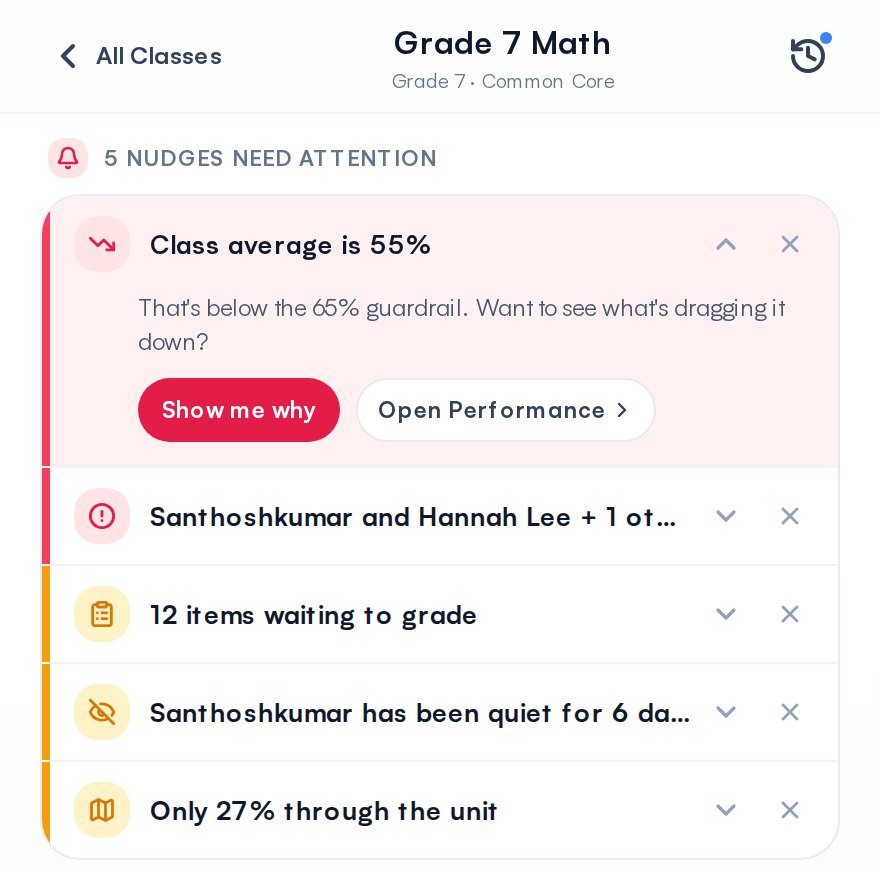
For an instructor, it looks across learners: Where is everyone? Who needs my attention? What can I do?
For a mentor, it follows the individual over time: How is my mentee progressing? Where might I support them?
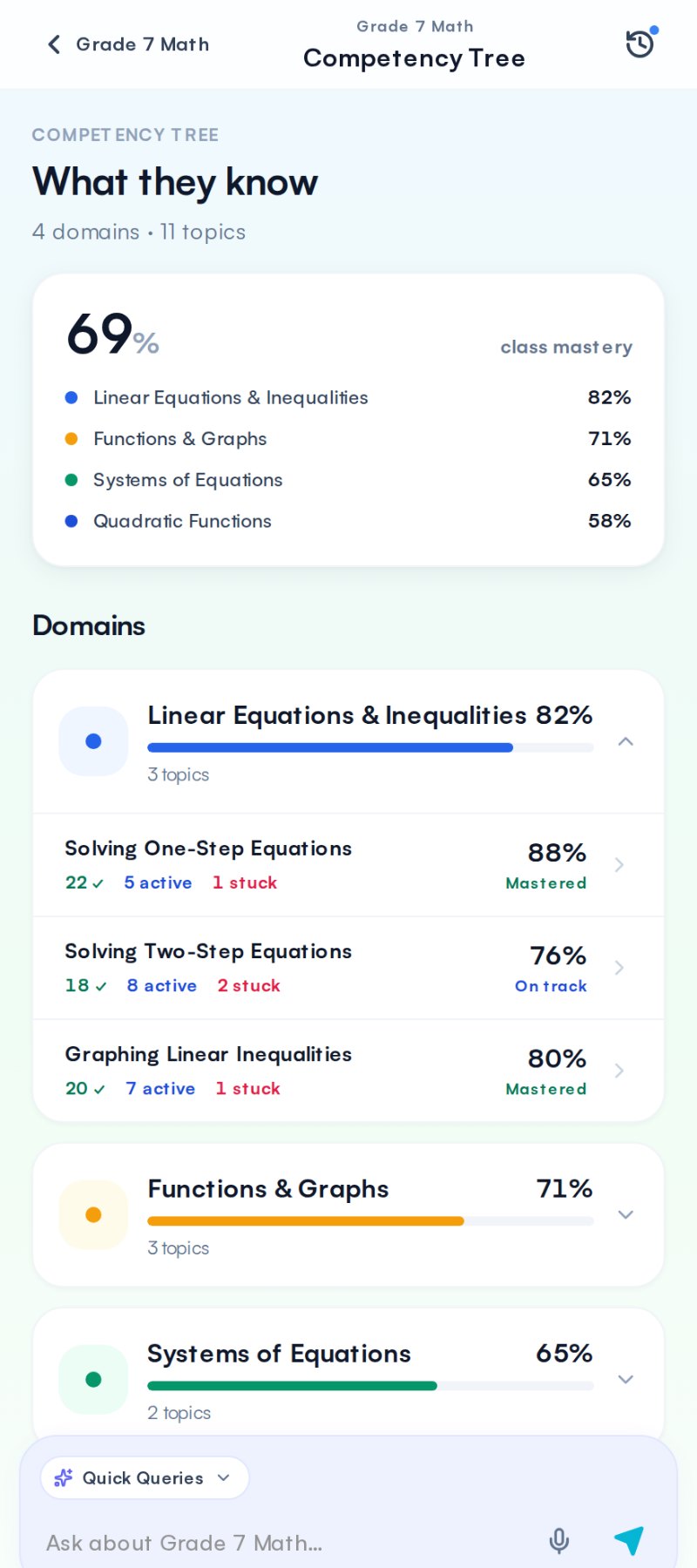
The learning system underneath is shared. Only the perspective changes.
From learning to a Companion model
The work started with Learner, Instructor and Mentor, but the idea underneath wasn't limited to education. It could apply in very different settings.
That mattered later, when we began exploring the Companion in other domains.
But Learning was where we first had to make it understandable and useful to the person using it.
What I took away
Working on the Companion changed how I think about AI products.
The chat interface was the smaller part. The real work was making an intelligent system understandable to the person using it, while most of the rules and reasoning stay underneath.
The interface became simpler. The system behind it became more contextual.
The product, role by role
These are the screens as they stand now. Each role has its own look, so the three never blur into one product with three skins.
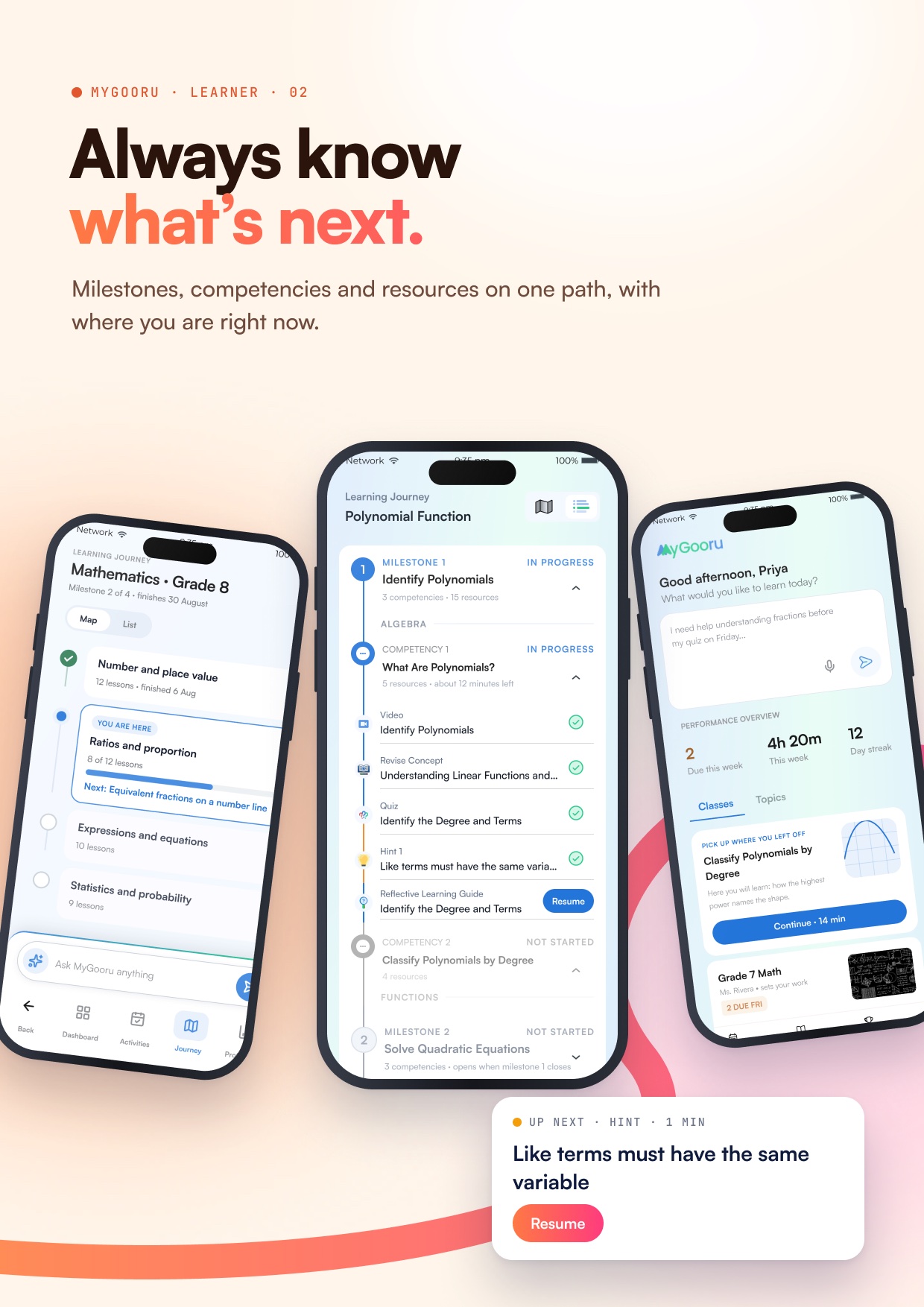
For the learner, the home opens on a question, not a menu. The journey sits on one path: milestones, competencies and the next resource on a single line, so it’s always clear where you are.
Learning starts with a question
The home, with the question box and this week’s progress.
Always know what’s next
The journey as one path, with a resume card for the next hint.
For the instructor, the Companion sits beside every page and never covers it. It sorts what needs the teacher by how soon it matters, and reads pace from today, so the class that won’t finish shows up weeks before the deadline.
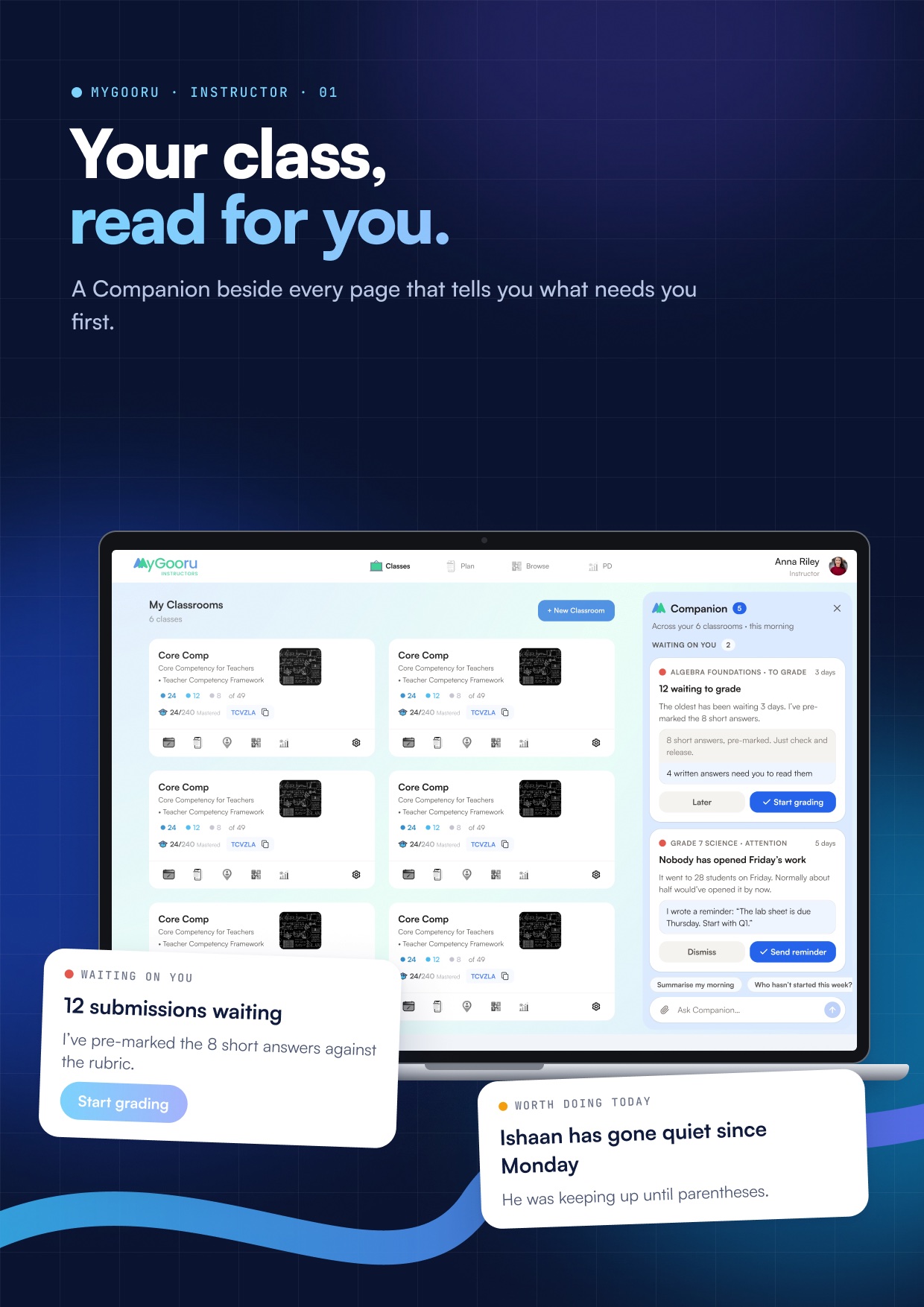
Your class, read for you
Home with the Companion docked: grading first, a quiet student second.
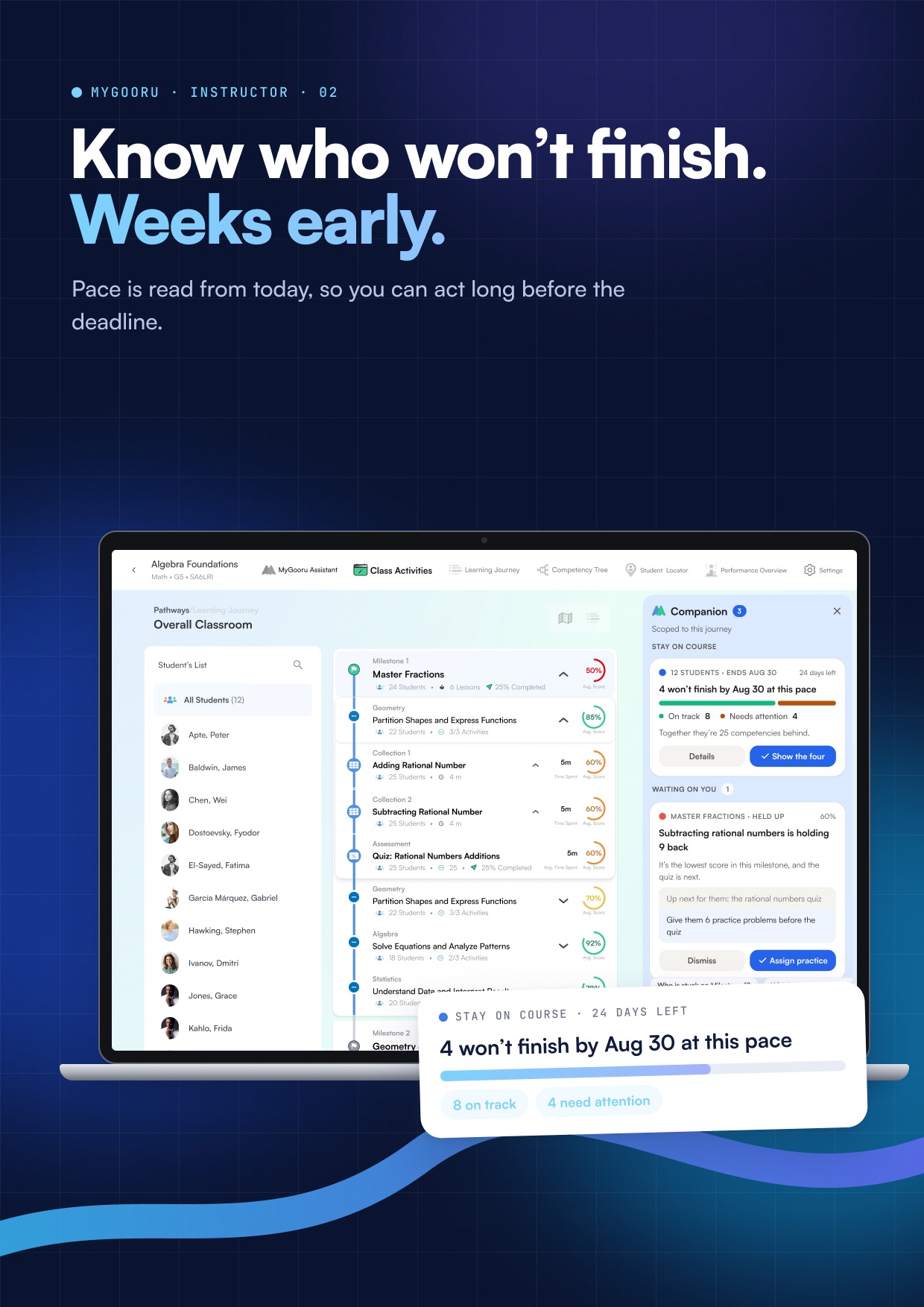
Know who won’t finish
The Learning Journey with the pace card: 8 on track, 4 need attention.
Before drawing any of it, I mapped where the Companion lives on each screen and what it is allowed to talk about there. On Home it reads all six classrooms; on one student it reads only them. Every nudge opens and closes the same way, so sixteen kinds of nudge are one thing to learn.
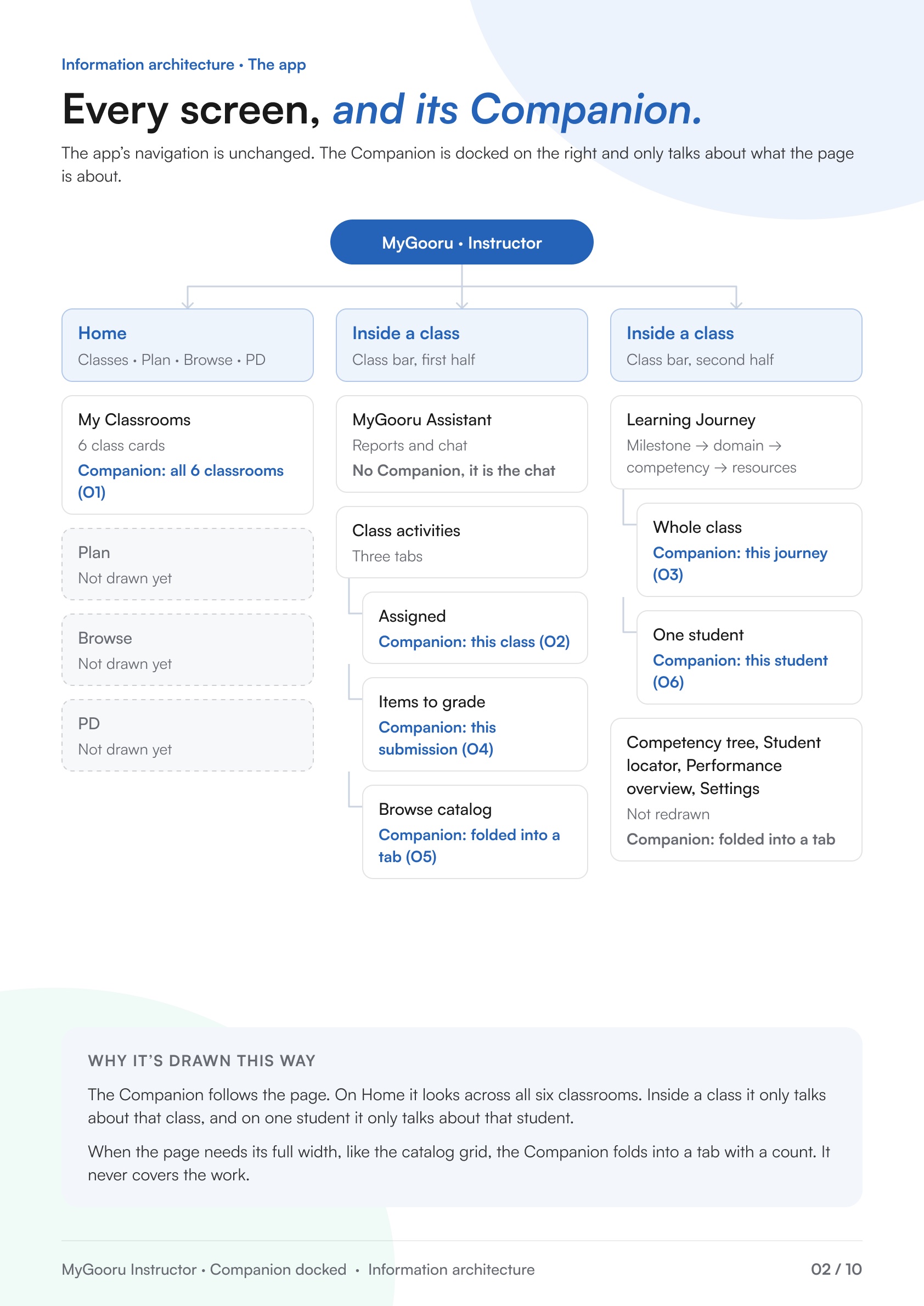
Information architecture
Every screen, and what the Companion is scoped to on it.
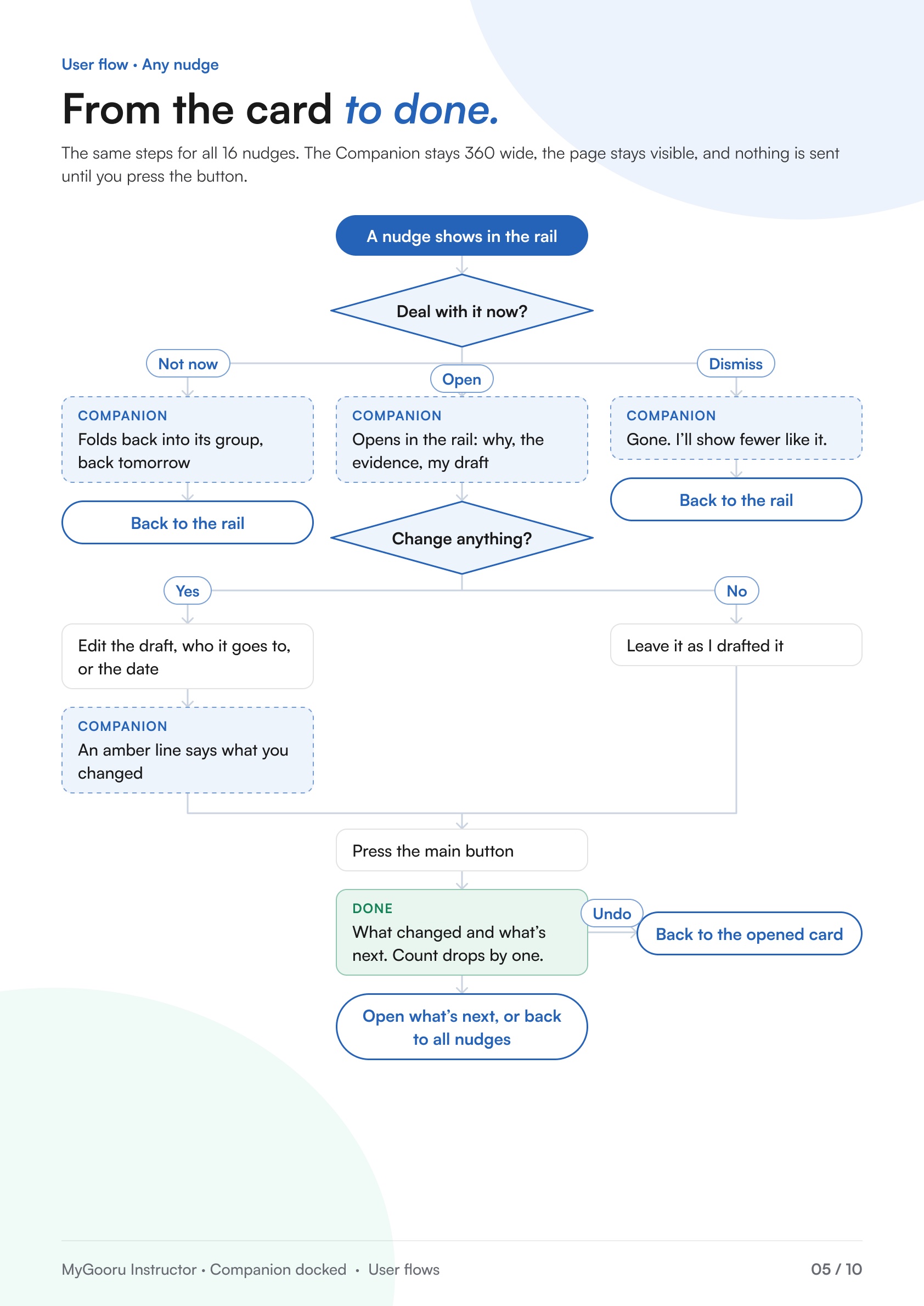
One flow for every nudge
From the card to done, with Undo, inside the rail.
Grading is where that rail has to work hardest. The rubric is drafted if there isn’t one, short answers are pre-marked, and the written ones come one at a time with a suggested mark the teacher can change.
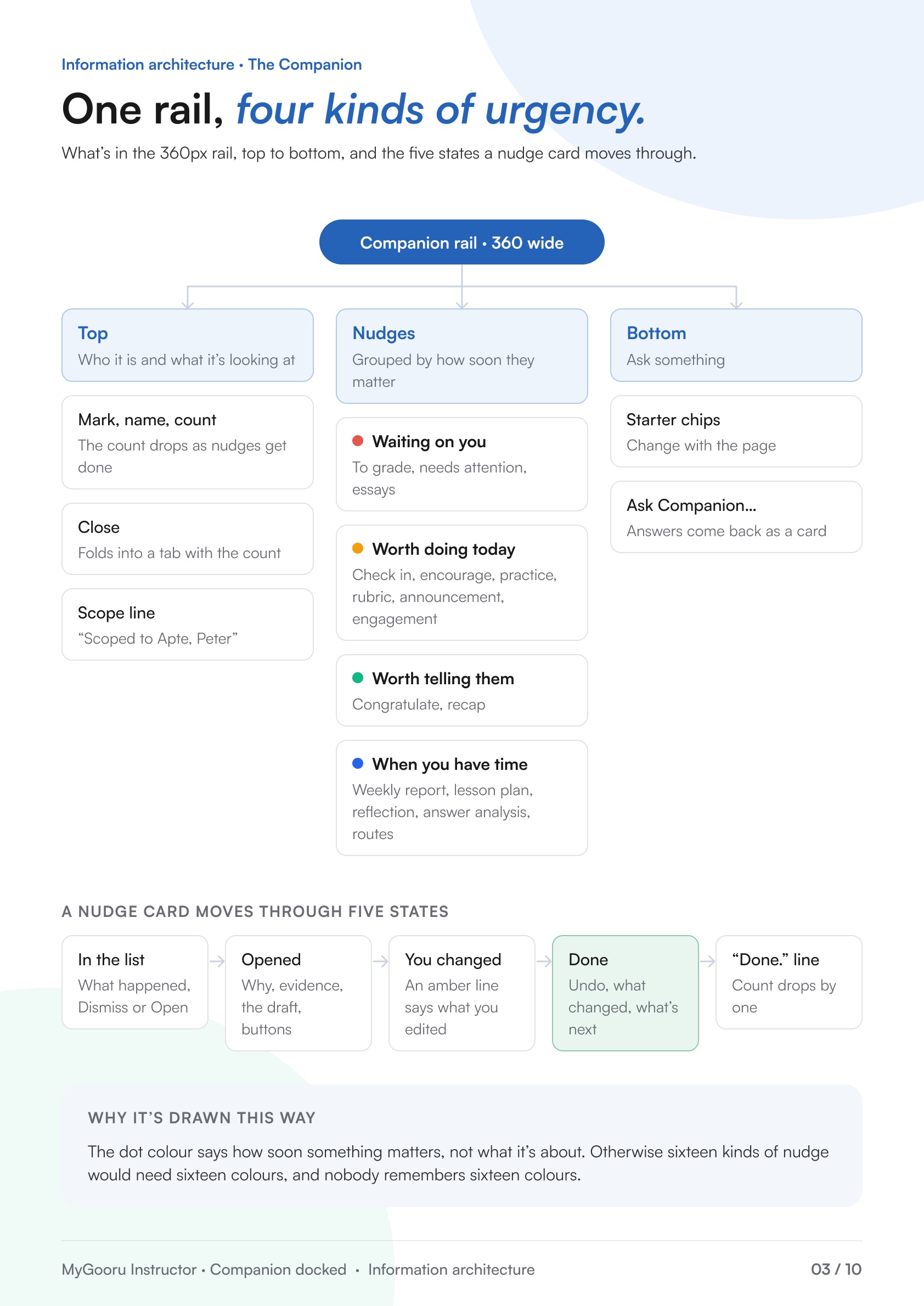
The Companion rail
What sits in 360px, and the five states a card moves through.
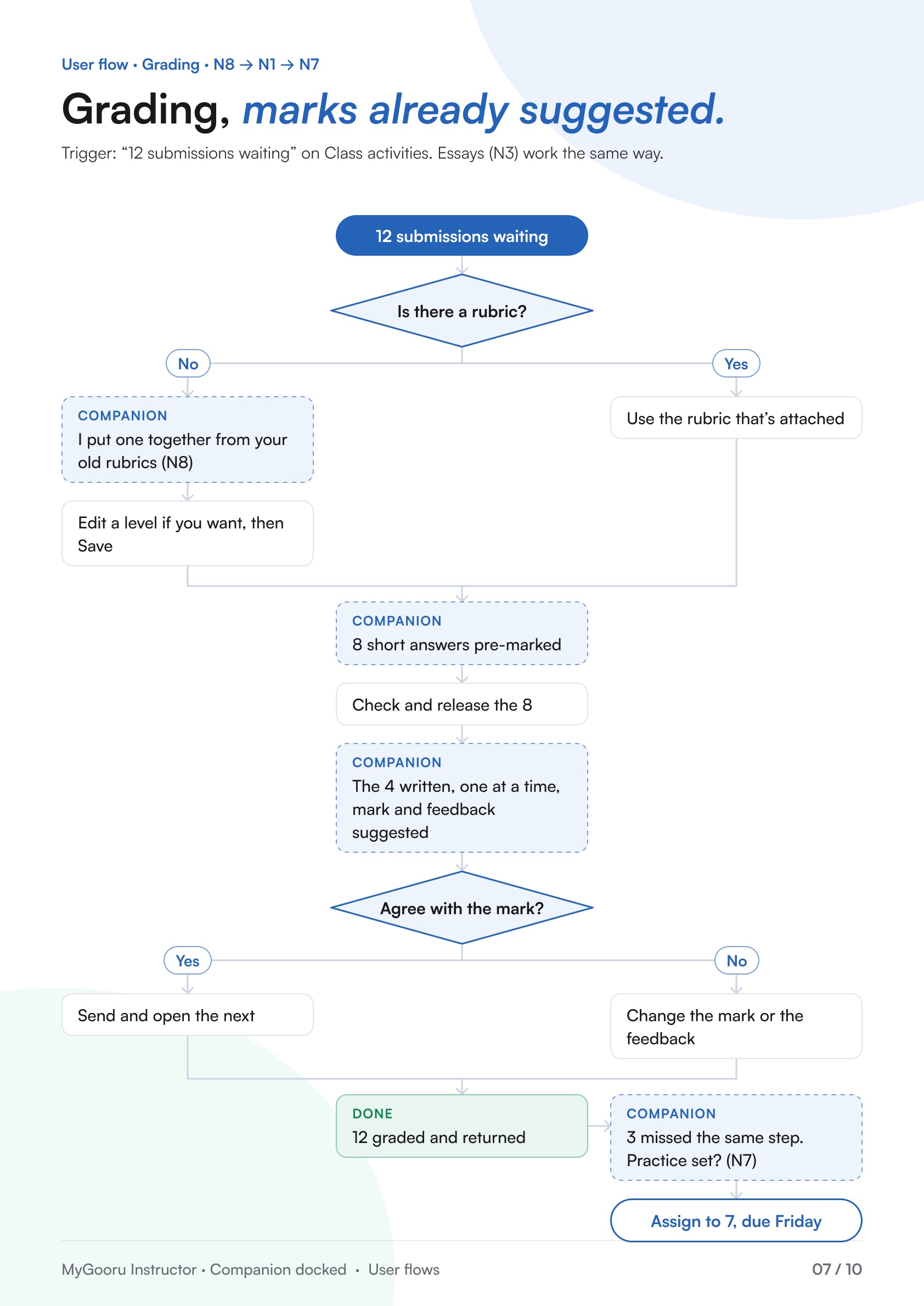
Grading, end to end
Rubric, pre-marked answers, the written ones, then a practice set.
For a mentor or parent, the question is who needs a word tonight. The home lists each learner with what’s due and what’s stuck, and opens straight into their journey.
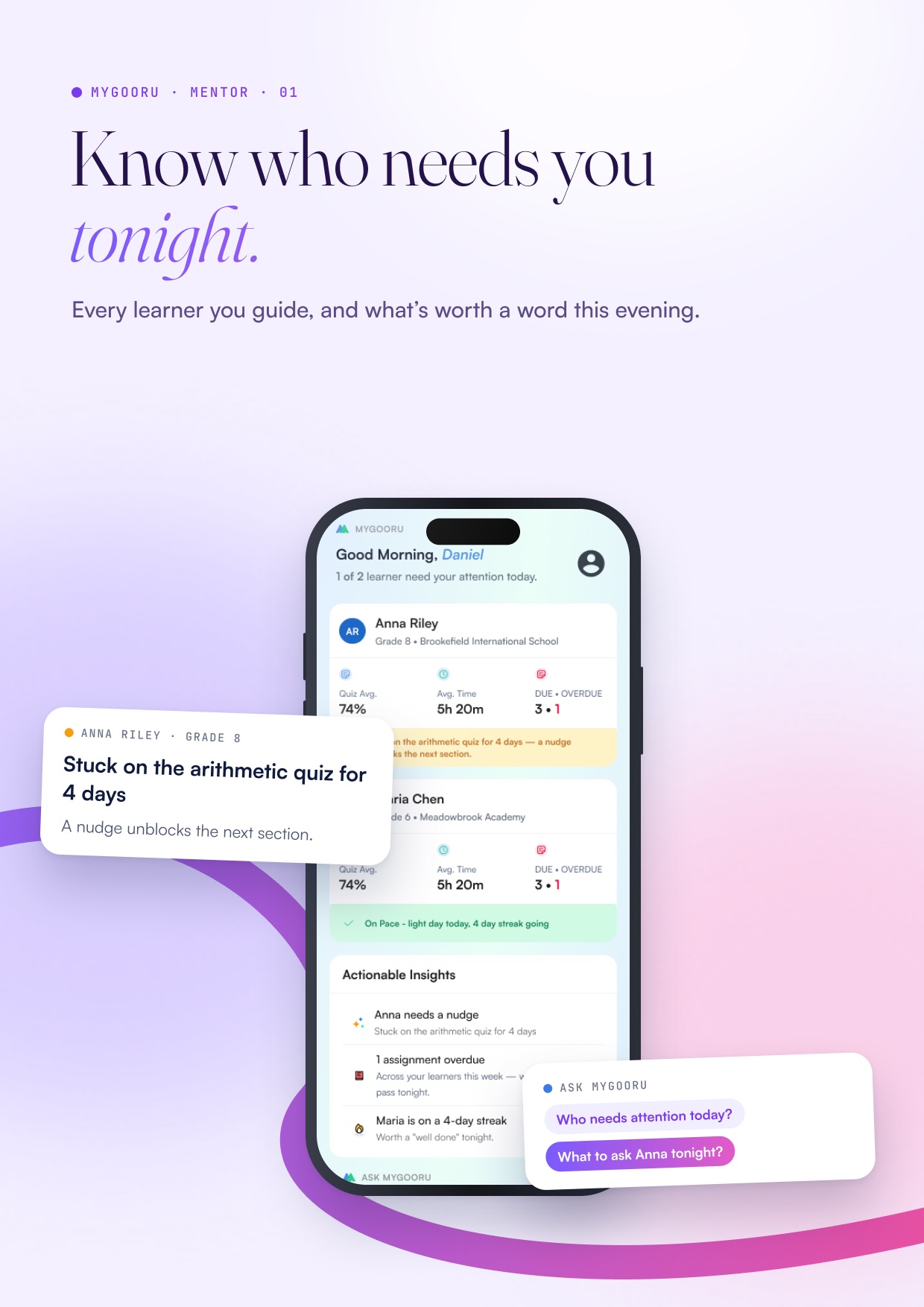
Know who needs you tonight
Every learner, with the one thing worth raising.
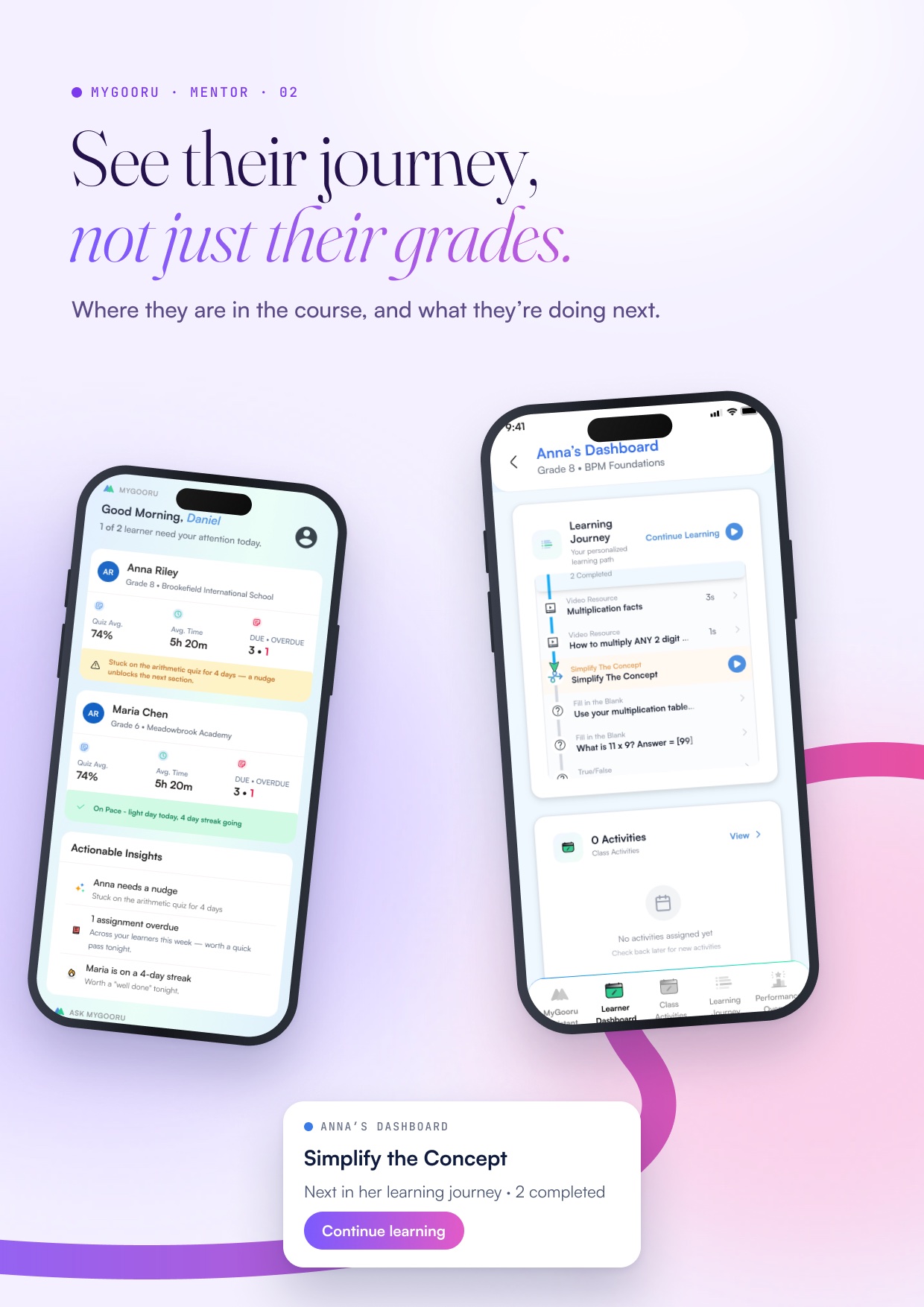
See their journey
The learner’s dashboard and where they are in the course.
Oncology companion
A personalised resilience companion for people living with cancer.